





Here it is finally, earlier Twitter surprised us with the new ‘Follow’ button, Facebook with ‘Send’ button, and now Google‘s +1 button going viral on several famous blogs.
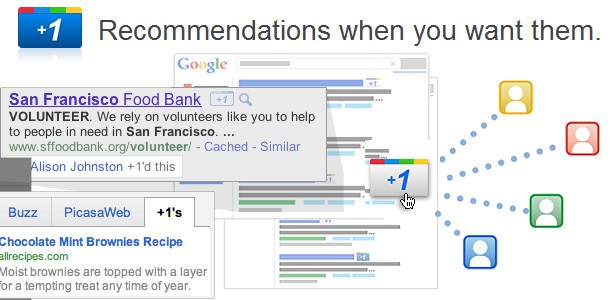
By adding +1 to your pages you can make your websites and blogs stand out. +1 buttons let people who love your content recommend it on Google search.
When a signed-in Google user is searching, your Google search result snippet may be annotated with the names of the user’s connections who’ve +1′d your page. If none of a user’s connections has +1′d your page, your snippet may display the aggregate number of +1′s your page has received.
Adding Google’s +1 Button On Your WordPress Blog
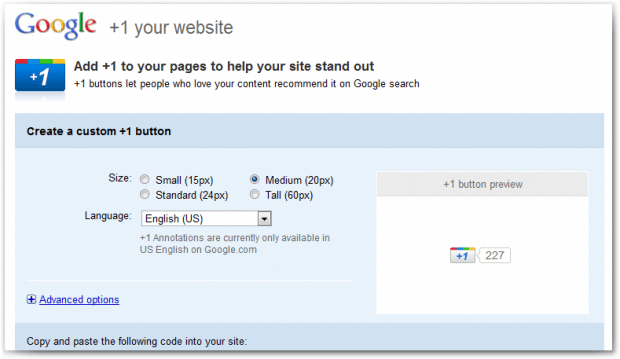
Place this tag in your head or just before your close body tag. Edit header.php file.
<script type=”text/javascript” src=”http://apis.google.com/js/plusone.js”></script>
Now, place this tag where you want the +1 button to render. Most preferably single.php file.
<g:plusone></g:plusone>
Adding Google’s +1 Button On Blogger Blogs
Just like WordPress, paste the following code before </head> tag. Go to Edit HTML and search for head tag.
<script type=”text/javascript” src=”http://apis.google.com/js/plusone.js”></script>
Now to place the Google +1 in the post area, go to <div class=”post-header-line-1″/> or<data:post.body/> and place the below code immediately after it
<div style=’float:right; margin-right:10px;’>
<g:plusone expr:href=’data:post.url”></g:plusone>
</div>
<g:plusone expr:href=’data:post.url”></g:plusone>
</div>
Now, save the template!
Google also provides four different button sizes to fix your blog posts, you can check them here.
Google’s +1 Button On HBB
We have also implemented this new +1 button on our blog. Now to recommend HBB‘s articles you just need to click the +1 button present below the post title on posts.
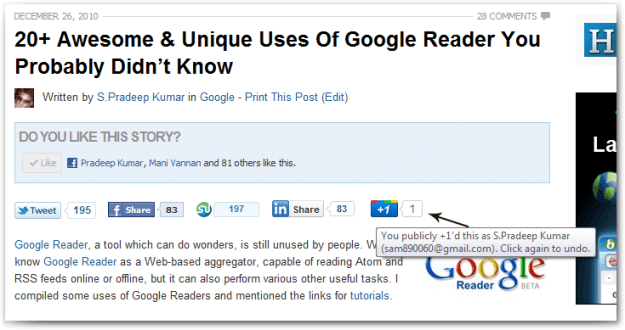
You can check the video below to get an idea about how Google’s +1 can make your posts viral.
So have you added this button on your blog? Will it replace Facebook Like button? Or it will soon RIP like Google Buzz button?
Article From- http://hellboundbloggers.com/2011/06/02/add-googles-1-button-on-blogs/





0 comments:
Post a Comment